BK123 App Download And Earn Huge Rewards Online Easily
| Developer | BK123 |
| Size | 15MB |
| Version | v3.1 |
| Requirements | Android & iOS |
| Downloads | 65K |
| Get it on |  |
Description
Smartphone applications have changed how people discover and enjoy digital entertainment. Users now expect mobile platforms to offer convenient navigation, quick access to different sections, and account tools that are easy to understand. A well-organized application can make it simpler to explore available services without dealing with complicated menus. Also try P999 And 77MVP Game.
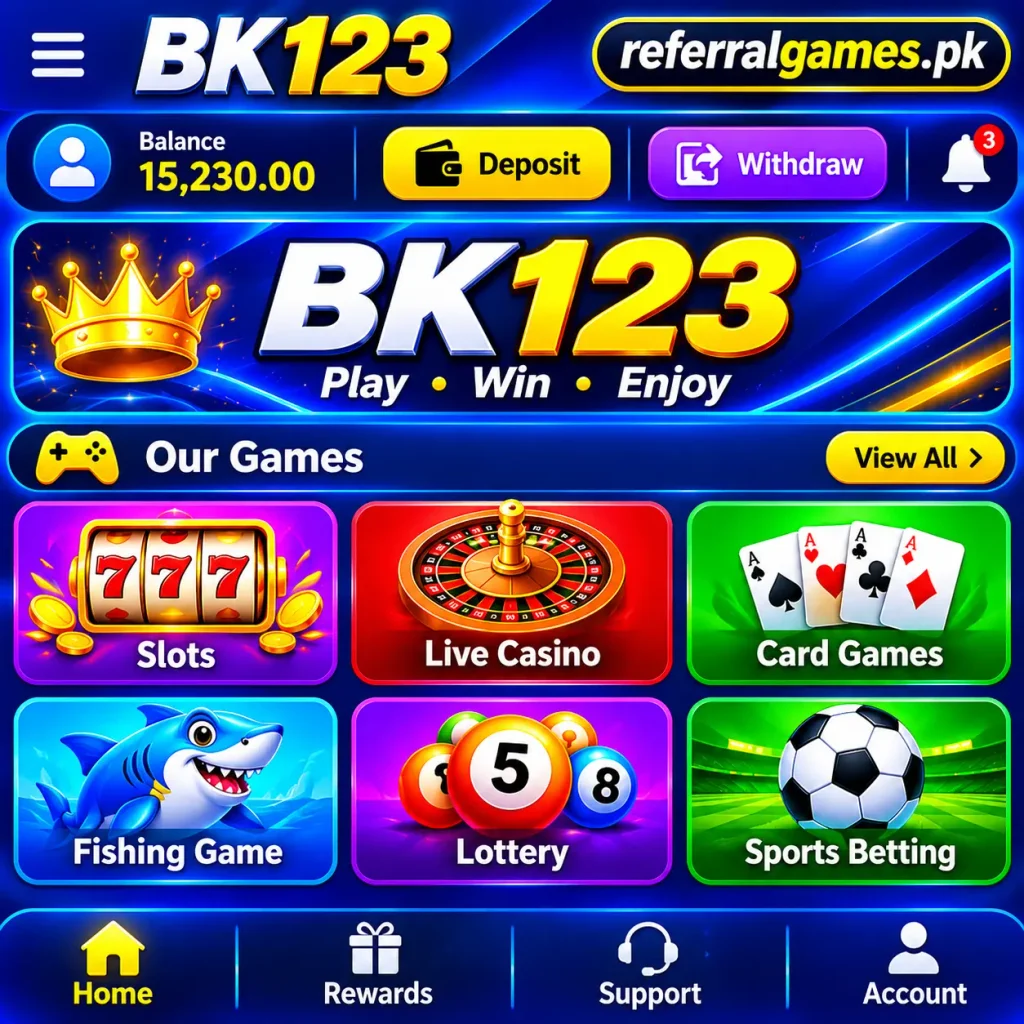
The BK123 App is a mobile application that users may come across while searching for online gaming and digital entertainment options. Before installing any unfamiliar application, it is useful to learn about its interface, supported functions, device requirements, and account-related services.
Getting Familiar with the BK123 App Platform
The BK123 App can be explored as a mobile-based digital entertainment platform. Its purpose and available functions should be assessed through the actual application interface and information provided by a verified publisher.
When opening an unfamiliar gaming application, the first thing to examine is its main dashboard. This is generally where users find navigation menus, account options, available activities, and other application sections.
A good starting point is to explore the available menus without immediately registering or making a payment. Understanding the layout first can help users decide whether the application is suitable for their needs.
Inside the Application: Understanding Main Sections Of BK123
A mobile application usually contains several functional areas. Although their exact arrangement can change between versions, understanding the common sections makes navigation easier.
Home Dashboard
The dashboard acts as the main starting point. It may provide shortcuts to available activities, account information, announcements, and other platform features.
Users should take a moment to understand the menu arrangement instead of clicking unfamiliar options randomly.
Game Discovery Area
The gaming section is where users can examine the activities offered by the platform. Different categories may have different rules, instructions, and participation requirements.
Always read the information provided with each activity before taking part.
Personal Account Section
This area generally contains account-related information and settings. Depending on the application, users may find profile details, security options, and account preferences here.
Notifications and Announcements
Some applications include a notification section for platform updates, service information, or promotional announcements. Users should distinguish official information from misleading advertisements.
Help and Support Area
A support section can provide guidance for technical issues, account access, and general questions. Check whether the listed contact details are genuine before sharing personal information.
What Makes a Mobile Application Like BK123 Convenient?
A useful application is not defined by attractive graphics alone. Its overall quality depends on usability, reliability, compatibility, transparency, and security.
Here are some important qualities users should examine when evaluating the BK123 App.
Easy-to-Understand Menu Structure
A clear menu structure helps beginners locate important functions without unnecessary confusion. Sections should have understandable labels and a logical arrangement.
Responsive Screen Layout
A responsive interface should remain readable on different smartphone screen sizes. Buttons and text should be positioned so that users can navigate without accidentally selecting unrelated options.
Clear Instructions
Instructions are particularly important when an application includes interactive games. Users should understand the rules, participation conditions, and possible outcomes before beginning.
Account Privacy Settings
Privacy options help users understand how their information is handled. A trustworthy service should provide accessible information about data collection and account protection.
Reliable Application Updates
Software updates can address technical issues and improve compatibility. However, users should verify the publisher and source before installing a new version.
Accessible Information
Important details should not be hidden behind confusing menus. Terms, privacy information, support details, and payment conditions should be easy to locate.
BK123 App Download and Installation Guide
Installing an Android application requires more attention when the file is distributed outside the Google Play Store.
An APK file is an Android application package. It contains the files required to install an application, but its format alone does not prove that it is safe.
Follow these steps before installing the BK123 App:
- Identify the original publisher or verified distribution source.
- Confirm that the application name and version match the publisher’s information.
- Review the file source and available security information.
- Check the requested device permissions.
- Scan the downloaded file with a reputable security tool.
- Follow the standard Android installation procedure if the source is trustworthy.
- Open the application and examine its initial settings.
Avoid modified APKs, unofficial copies, and files distributed through suspicious messages. If the publisher cannot be verified, it is safer not to install the application.
Device Requirements and Android Compatibility
Not every mobile application works equally well on every smartphone. Performance depends on the Android version, available memory, storage capacity, processor, and internet connection.
Before installation, check the application’s published minimum requirements.
A few useful preparation steps include:
- Keep your phone’s software updated.
- Make enough storage space available.
- Use a stable internet connection.
- Avoid running too many demanding applications simultaneously.
- Review compatibility information before installing.
If your device displays an incompatibility warning, do not attempt to bypass important security restrictions.
Setting Up Your Account Correctly
Account creation is an important step for applications that provide personalized features. However, users should understand the information being requested before submitting a registration form.
A typical account setup process may involve:
Step 1: Open the registration page
Find the account creation option inside the verified application.
Step 2: Review the requested details
Check which information is necessary and whether the privacy policy explains how it will be used.
Step 3: Create secure credentials
Choose a unique password that is difficult for others to guess.
Step 4: Complete verification
If verification is required, follow the platform’s legitimate instructions. Never share verification codes with another person.
Step 5: Review account settings
After registration, examine available privacy and security options.
Users should avoid creating accounts through links received from unknown individuals.
Managing Your Profile and Login Information
Keeping account information organized can make application use more convenient. The profile area may provide access to personal settings and account-related information.
For secure access, remember these practices:
- Do not reuse passwords from important accounts.
- Avoid logging in through suspicious websites.
- Do not save passwords on shared devices.
- Log out when using a public or borrowed phone.
- Use available security verification features.
If you experience a login problem, check your credentials and internet connection. For password recovery, use the application’s verified recovery method rather than contacting unknown social media accounts.
Exploring Interactive Entertainment Options
Gaming applications can contain several types of activities, depending on their design and available services. Some games focus on visual interaction, others involve timing or decision-making, while certain activities may use random outcomes.
Users should understand that these categories are not interchangeable. A skill-based activity and a chance-based activity may have completely different rules and risks.
Before participating, check:
- The basic instructions.
- The method used to determine results.
- Any participation requirements.
- Whether money or credits are involved.
- The rules for ending or leaving an activity.
If an activity involves wagering, users should remember that losing money is possible. No prediction method or advertised trick can guarantee a positive result.
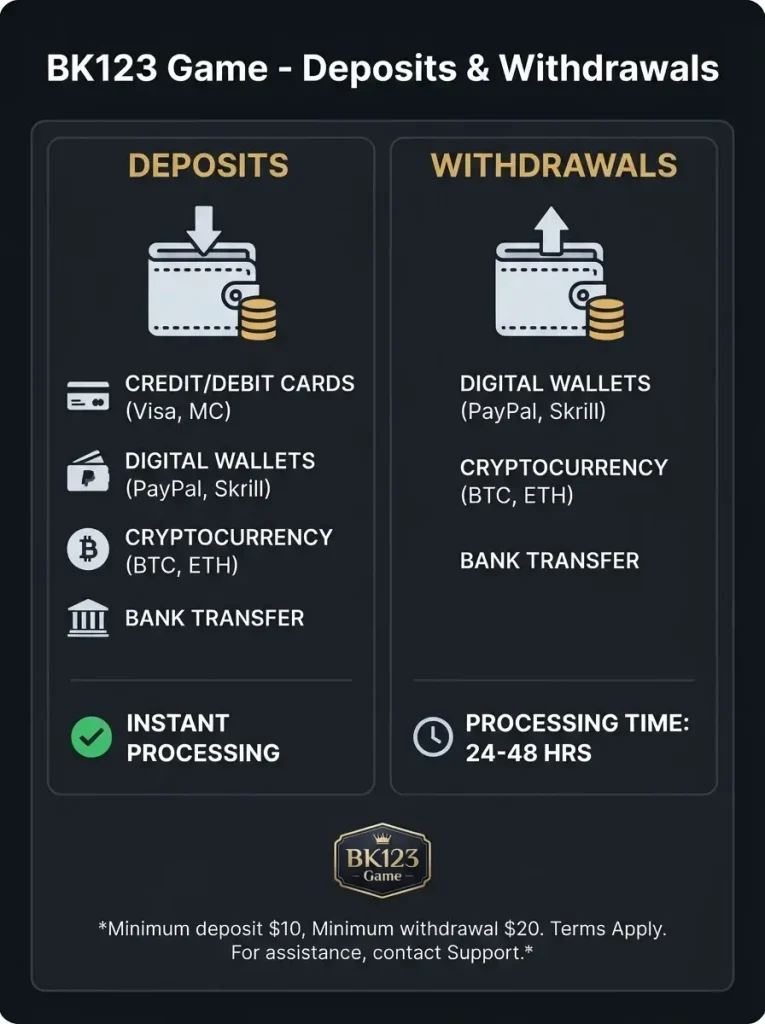
Payment Information and Financial Transparency In BK123
Payment facilities deserve special attention because financial transactions can involve personal and banking information.
If the BK123 App advertises deposits, withdrawals, or other financial services, users should verify these facilities before considering any transaction.
Important things to examine include:
Payment provider: Confirm that the payment service is genuine and authorized.
Transaction charges: Understand whether any processing or service fees apply.
Withdrawal conditions: Read the rules, limits, processing times, and verification requirements.
Transaction records: Keep receipts and reference numbers for any legitimate transaction.
Account ownership: Never transfer money to a personal account simply because someone claims to represent the platform.
Do not assume that a displayed payment option guarantees successful withdrawals. Clear terms and independently verifiable payment information are essential.
How to Identify Suspicious Activites In BK123
Online application security is a major concern, particularly when downloading files from unfamiliar websites.
Some warning signs deserve immediate attention:
- The application asks for unnecessary permissions.
- The publisher cannot be identified.
- The download page contains misleading installation buttons.
- The service promises guaranteed financial returns.
- Support representatives request your password or verification code.
- Payment rules are unclear or constantly changing.
- The application redirects users to unrelated websites.
If you notice these warning signs, avoid providing personal information or making payments.
Troubleshooting Common Application Issues Users Face On BK123
Even legitimate applications can experience technical problems. The following suggestions may help users understand common errors.
The App Freezes During Use
Close the application and restart your smartphone. Also check available storage and device performance.
Pages Are Not Loading
A weak connection may prevent certain sections from opening. Switch to a reliable network and try again.
Installation Is Unsuccessful
Check the Android version, available storage, and authenticity of the APK file. A damaged or incompatible package may fail to install.
Account Verification Is Delayed
Review the information entered and check the official instructions. Avoid sending repeated verification requests to unknown support contacts.
Unexpected Application Errors
Record the error message and consult verified support information. Do not install unofficial repair tools or modified versions.
Responsible Use and Digital Well-Being In The BK123 App
Spending time on mobile entertainment should not interfere with work, studies, family responsibilities, or personal finances. Users should establish clear limits for their screen time. If an application includes real-money gaming, they should also understand the financial risks and applicable local laws before participating.
Never treat a gaming application as an employment opportunity or guaranteed income source. Avoid chasing losses, borrowing money to participate, or believing unrealistic promotional claims. Taking breaks and maintaining control over spending are important parts of responsible digital entertainment.
Frequently Asked Questions About BK123
1. What is the BK123 App used for?
It is a mobile application associated with digital gaming and entertainment options, subject to its actual available services.
2. How can I download the BK123 Platform?
Look for a verified publisher or official distribution source and check the file’s authenticity before installation.
3. Does the BK123 Game support Android phones?
Compatibility depends on the application’s requirements and the Android version installed on your device.
4. Can beginners understand its interface?
Users can explore the dashboard, menus, and instructions to understand how the available sections work.
5. Is it safe to download modified APK files?
No. Modified files from unknown sources may contain harmful software or unwanted changes.
6. What should I do if I face account problems?
Use the verified account recovery process or contact the platform through its official support channel.
Final Thoughts
The BK123 App is worth examining carefully before deciding whether to use its available mobile entertainment services. A proper understanding of its interface, account management options, installation requirements, and security information can help users make informed decisions.
Instead of relying entirely on promotional descriptions, check the application’s actual features and publisher information. Pay particular attention to privacy, payment transparency, and account protection.
Download links
How to install BK123 App Download And Earn Huge Rewards Online Easily APK?
1. Tap the downloaded BK123 App Download And Earn Huge Rewards Online Easily APK file.
2. Touch install.
3. Follow the steps on the screen.